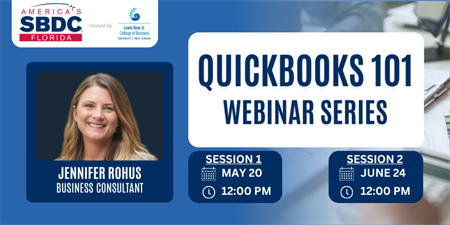
QuickBooks 101
QuickBooks can be one of the most valuable tools in a small business, but only when it is set up and maintained correctly. Take the stress and guesswork out of QuickBooks with this practical two-part webinar series, led by certified QuickBooks expert Jennifer Rohus, which is designed for small business owners who want cleaner books, better habits, and more confidence in their numbers. In the first session, participants will learn the foundations of QuickBooks, including how the chart of accounts works, why consistency matters, how to connect bank transactions, and how to categorize activity in a way that supports accurate reporting. The second session builds on that foundation by walking through reconciliation, common errors, and the reports every business owner should know how to use to turn information into insights. This series is focused on helping business owners create books that are organized, reliable, and useful for real decision-making.
Session 1: Wednesday, May 20 from 12 to 1:30 PM Central (1 hour of training with 30 minutes of Q&A)
Session 2: Wednesday, June 20 from 12 to 1:30 PM Central (1 hour of training with 30 minutes of Q&A)
After completion of the series, you'll have access to a local consultant who can continue to assist your small business at no-cost through the services of the SBDC!
Date and Time
Wednesday May 20, 2026 Wednesday Jun 24, 2026
Wednesday, May 20, 2026, 12:00 PM to Wednesday, June 24, 2026, 1:30 PM CT
Location
Webinar
Fees/Admission
$10
Website
